Your first calculation
Before you start
- Electric Pack is installed and you are signed in.
- The model has electrical panels, circuits and devices.
1. Open the model and the System Browser
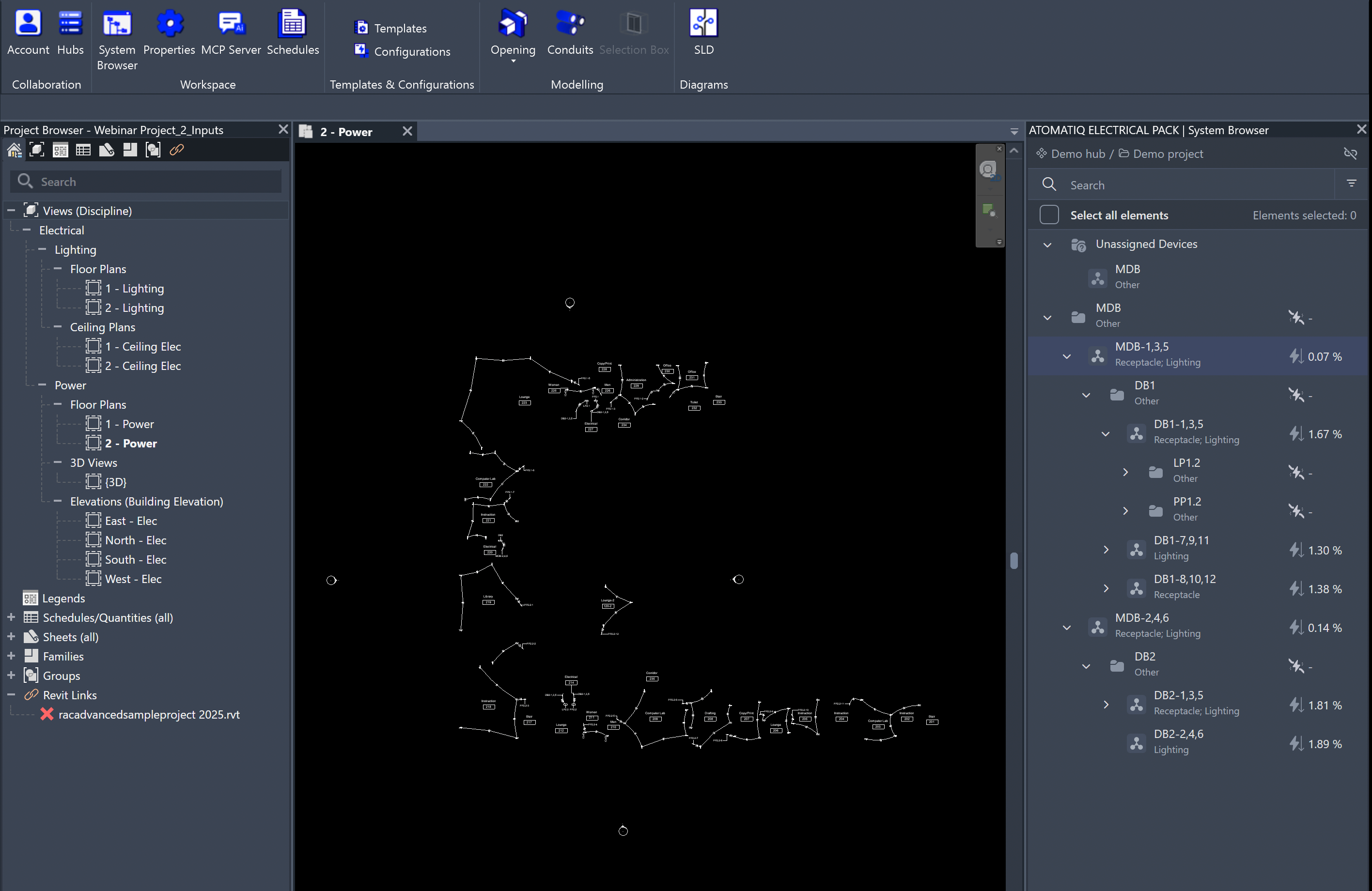
- Open the Revit project.
- On the ElectricalPack tab, click System Browser.
2. Connect the model to a hub project
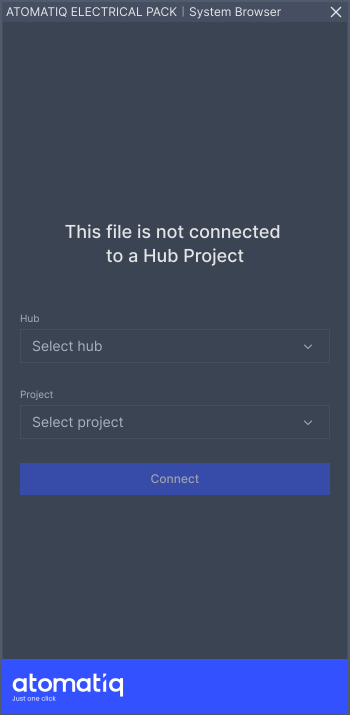
- In the Hub list, select a hub, or choose + Create new. An account without hubs gets a Personal hub.
- In the Project list, select a project or choose + Create new. A new project calculates with the template Default configuration table.
- Click Connect.
The tree appears, and the strip above it shows Hub > Project. The tools that need a connected model become available.
3. Review the results
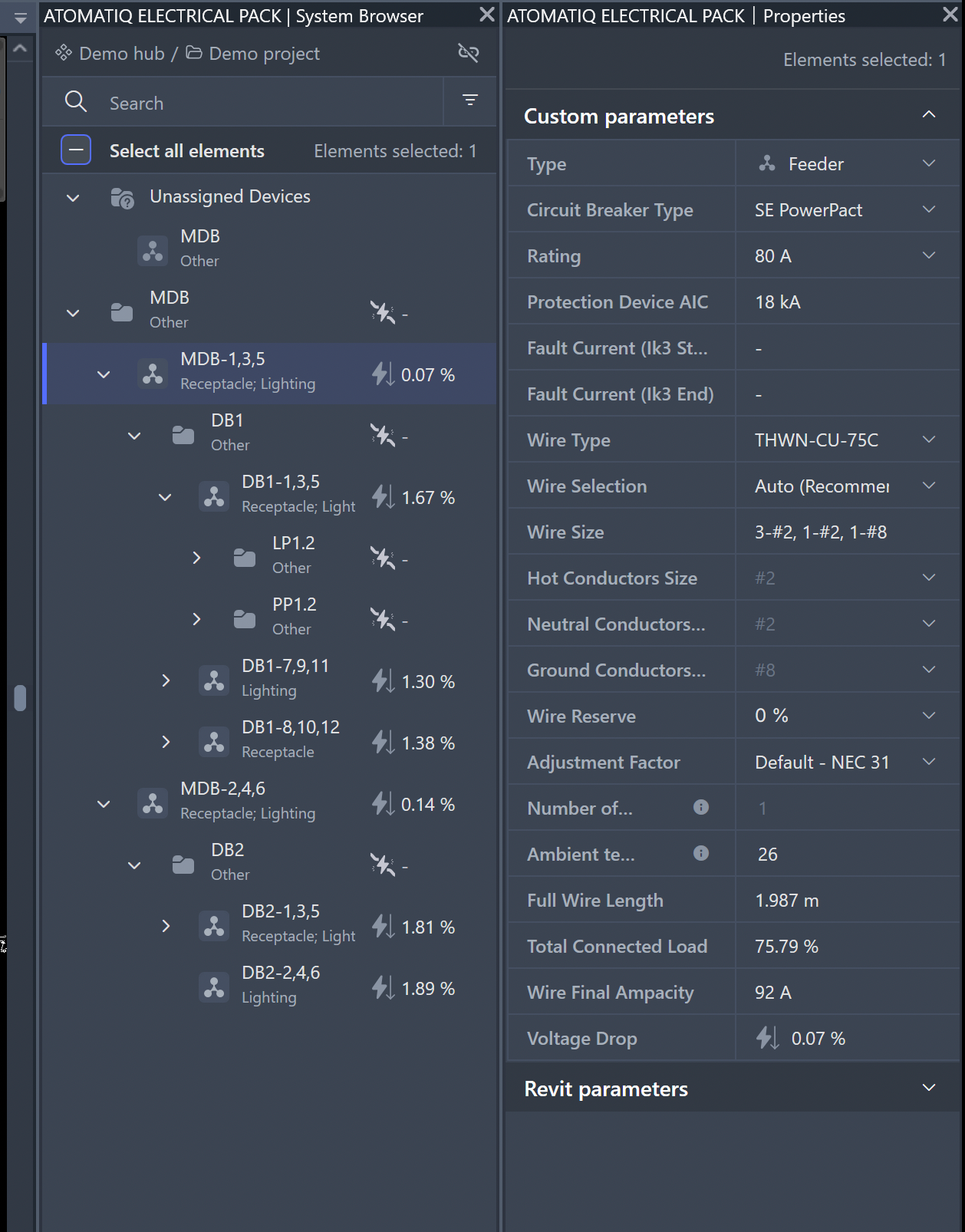
Each circuit in the tree shows its voltage drop and each panel its fault current. Select a circuit to see all its values in Properties. The results are also written to the EP_ parameters.
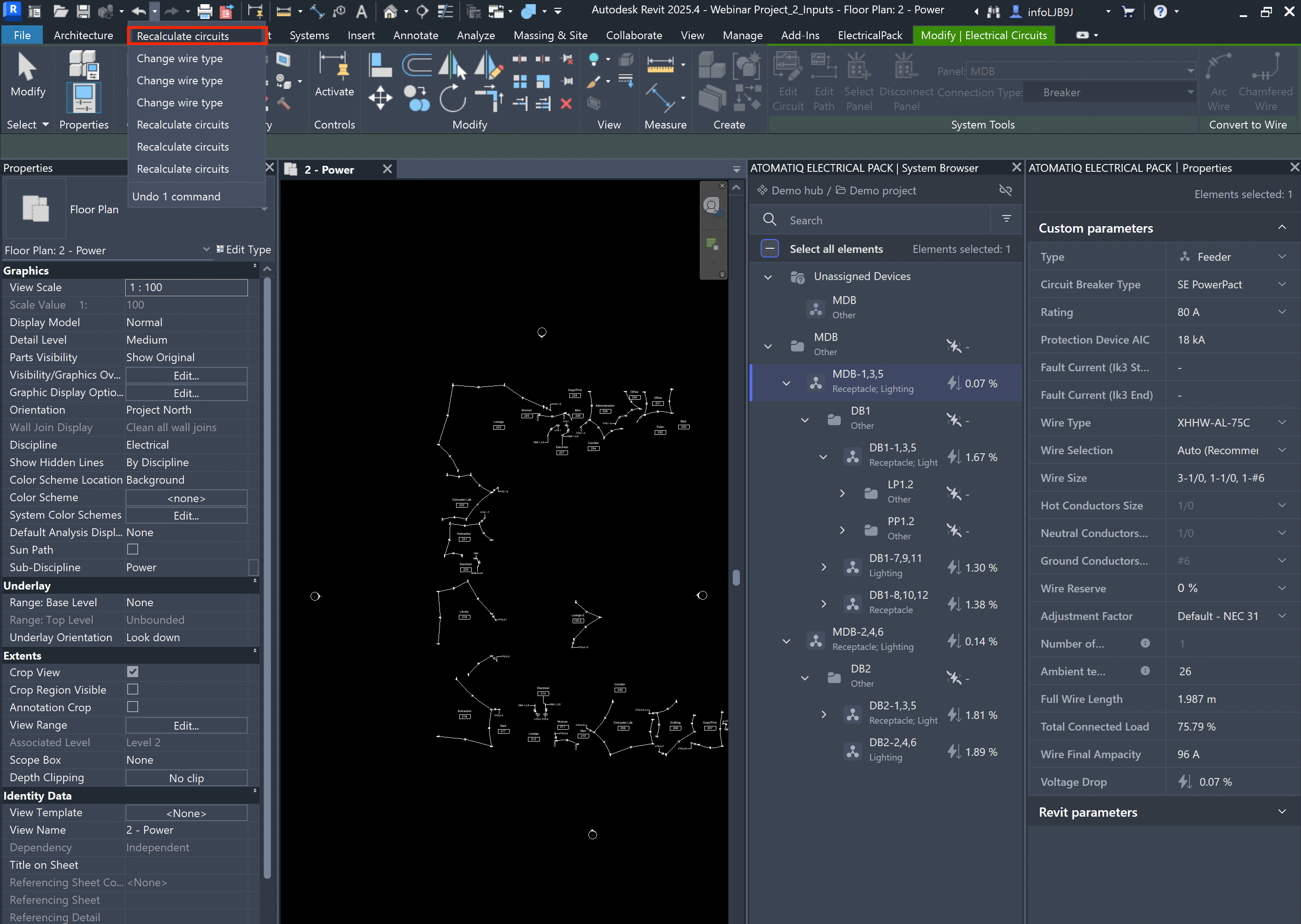
4. Keep the results up to date
You don't need to start a calculation. After every change — a device moved, a circuit edited, a value changed in Properties — Electric Pack recalculates the circuits the change affects and stores the results in one undo step named Recalculate circuits.