Wires: families and wire types
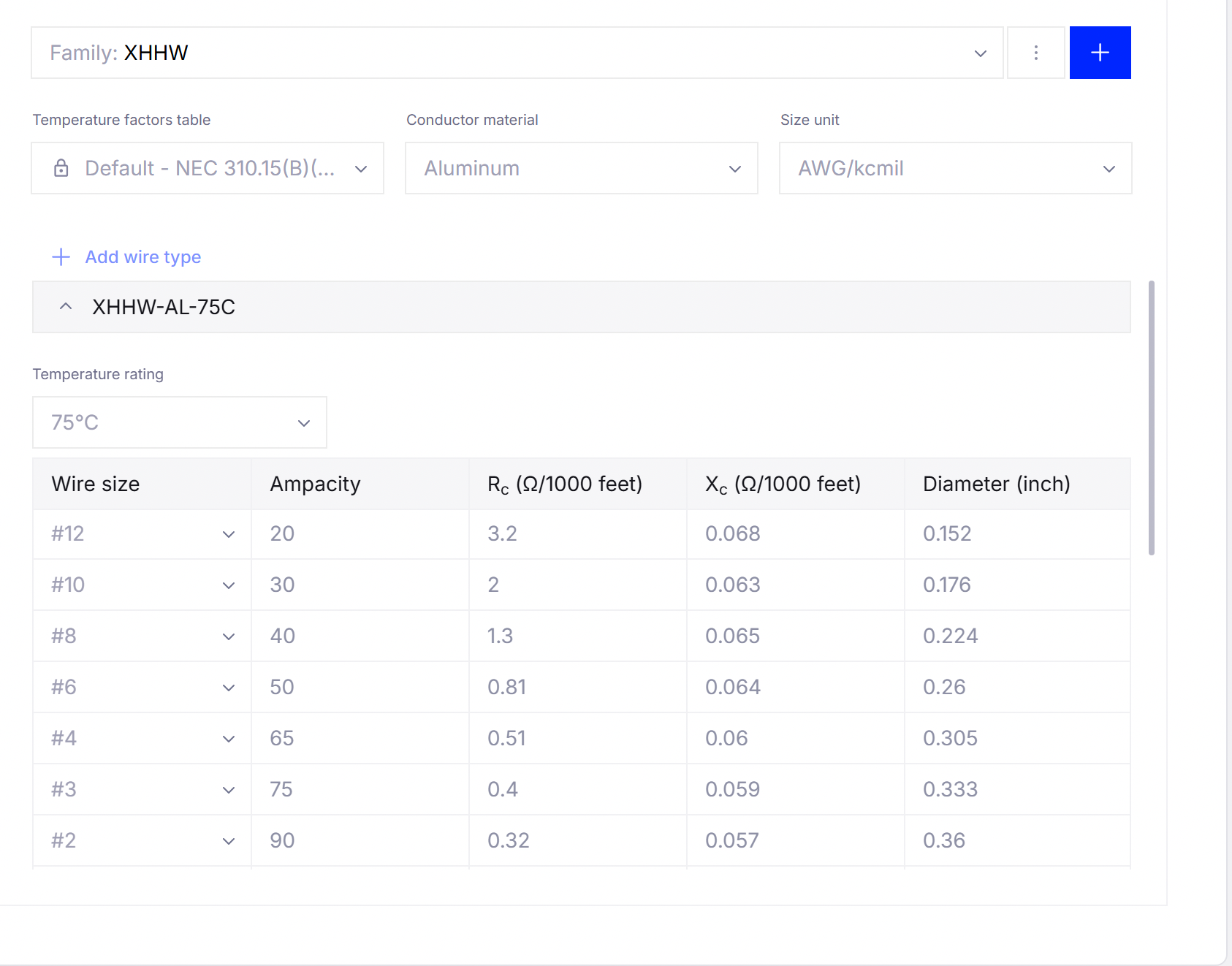
A wire family groups wire types of one conductor material that share a temperature factors table. Each wire type has a temperature rating and a list of sizes. Open Settings > Wires; the list at the top picks the family (Family: …).
Create a family
- Choose Create new family.
- Enter the Family name, select the Temperature factors table and the Conductor material.
- Click Create.
Add a wire type
- Click Add wire type and select its Temperature rating, for example 75 °C.
- Fill one row per wire size:
| Column | What to enter | Example |
|---|---|---|
| Wire size | The size name as it should appear in results | #10 |
| Ampacity | Ampacity of the size, in amperes | 30 |
| Rc | Resistance, in Ω/1000 feet (imperial hub) or Ω/km (metric hub) | 4.07 |
| Xc | Reactance, in the same unit | 0.26 |
| Diameter | Diameter, in inches or mm | 5.2 |
Click Save.
All parameters are required: a row with an empty or invalid value stops the save with Incomplete table data — Please enter valid values for all parameters in the table.
Note: Ampacity sets the conductor size, resistance and reactance set the voltage drop and fault currents, and the temperature rating selects the column of the temperature factors table. List sizes from smallest to largest.