Reading the System Browser tree
The System Browser is a docked panel that shows the panels, circuits and devices of the active model as a tree. Opening it changes nothing in the model: the values come from a calculation Electric Pack runs in memory.
Open it: on the ElectricalPack tab, click System Browser. Click again to hide it.
The tree starts with Unassigned Devices (panels no circuit feeds and devices on no circuit), followed by the panels with their circuits.
| Row | Name | Value on the right |
|---|---|---|
| Panel | Panel, switchboard or transformer name | Fault current, kA |
| Circuit | Circuit number, or load name | Voltage drop, %: a feeder shows its own, a branch circuit its total |
| Device | Device name | - |
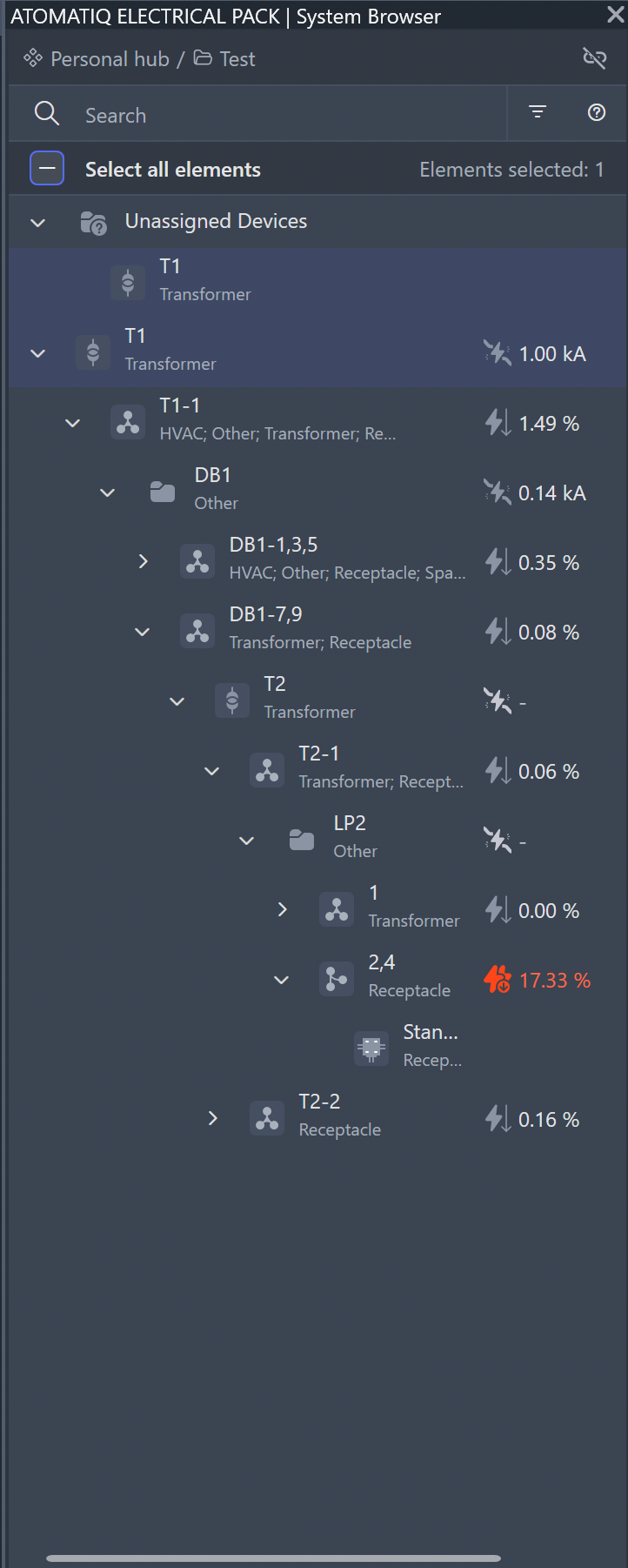
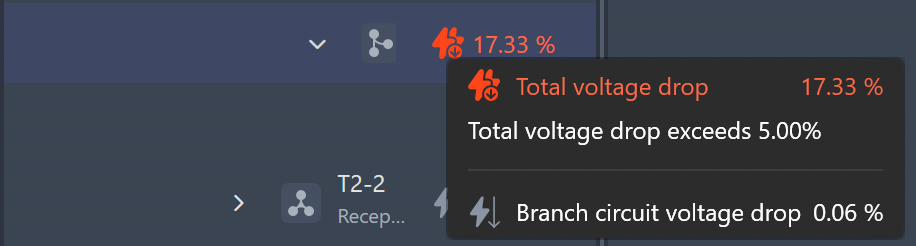
A value over its limit is highlighted: a voltage drop above the template limit, or a fault current above the short-circuit rating of the equipment. Point at the warning icon of a row to read the warning. A dash means no value was calculated.