Working with Schedules
SchA cell is highlighted when the calculation warns about it: a voltage drop over its limit, a connected load over the rating, or a fault current above the interrupting capacity of the breaker. Right-click a column header to sort, group or filter by it.edules lists every circuit of the active model as a row, with model values, circuit inputs and calculation results as columns.
- Open a project connected to a hub project.
- On the ElectricalPack tab, click Schedules.
Revit takes no input while the window is open. A model without circuits shows There are no data to display.
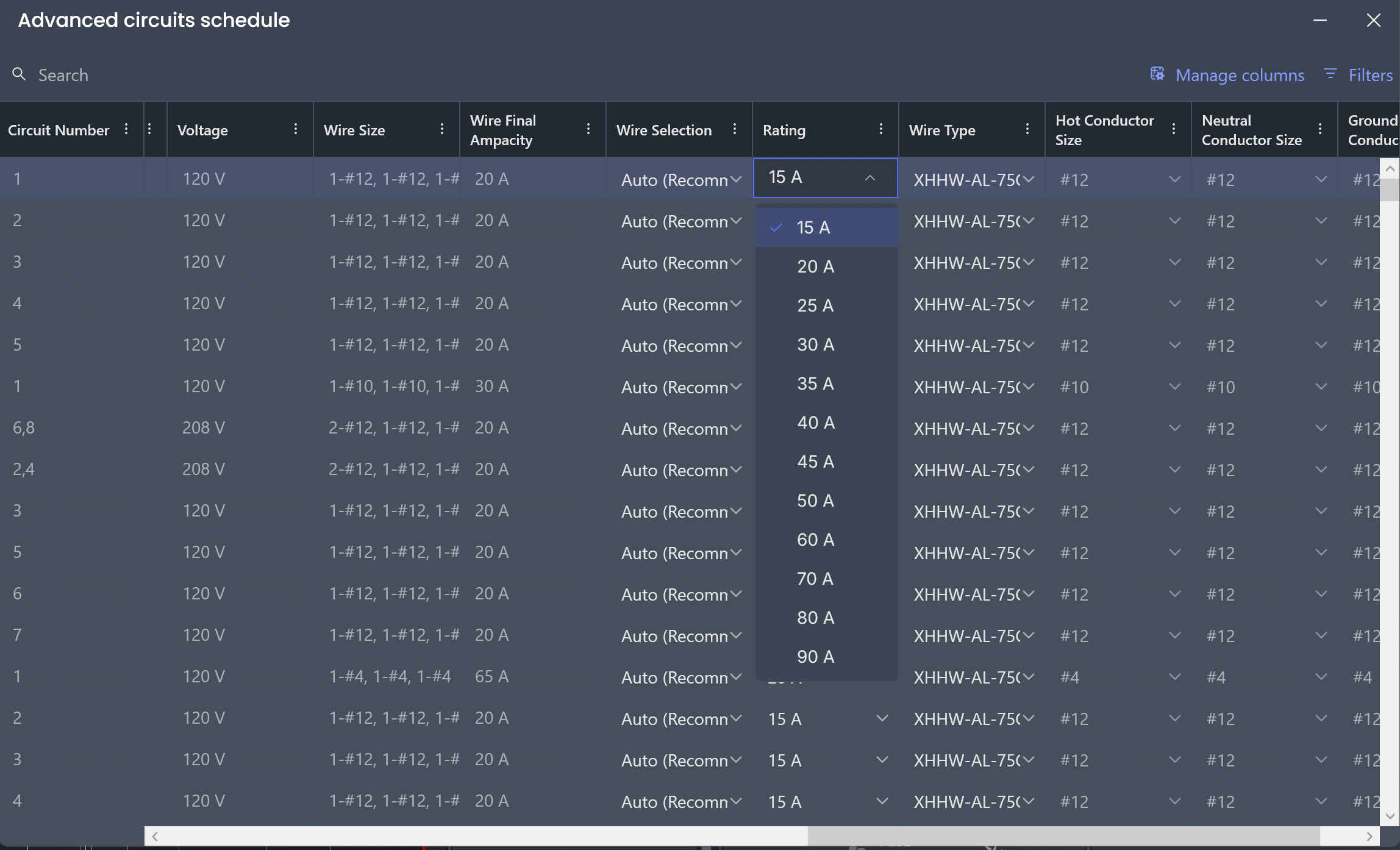
Default columns: Circuit Number, Panel, Load Name, Load Classification, Full Wire Length, Total Connected Load, Voltage Drop, Total Voltage Drop, Apparent Load, Apparent Current, True Load, True Current, Power Factor, Voltage, Wire Size, Wire Final Ampacity, Wire Selection, Rating, Wire Type, Hot, Neutral and Ground Conductor Size.
Edit in place: Load Name, Wire Selection, Rating, Wire Type, conductor sizes, Adjustment Factor, Circuit Breaker Type, Number of Runs, Ambient Temperature and Wire Reserve. Each edit is recalculated like an edit in Properties.