Adjustment factors and temperature factors
Electric Pack multiplies the ampacity of a wire size by both factors before comparing it with the breaker rating.
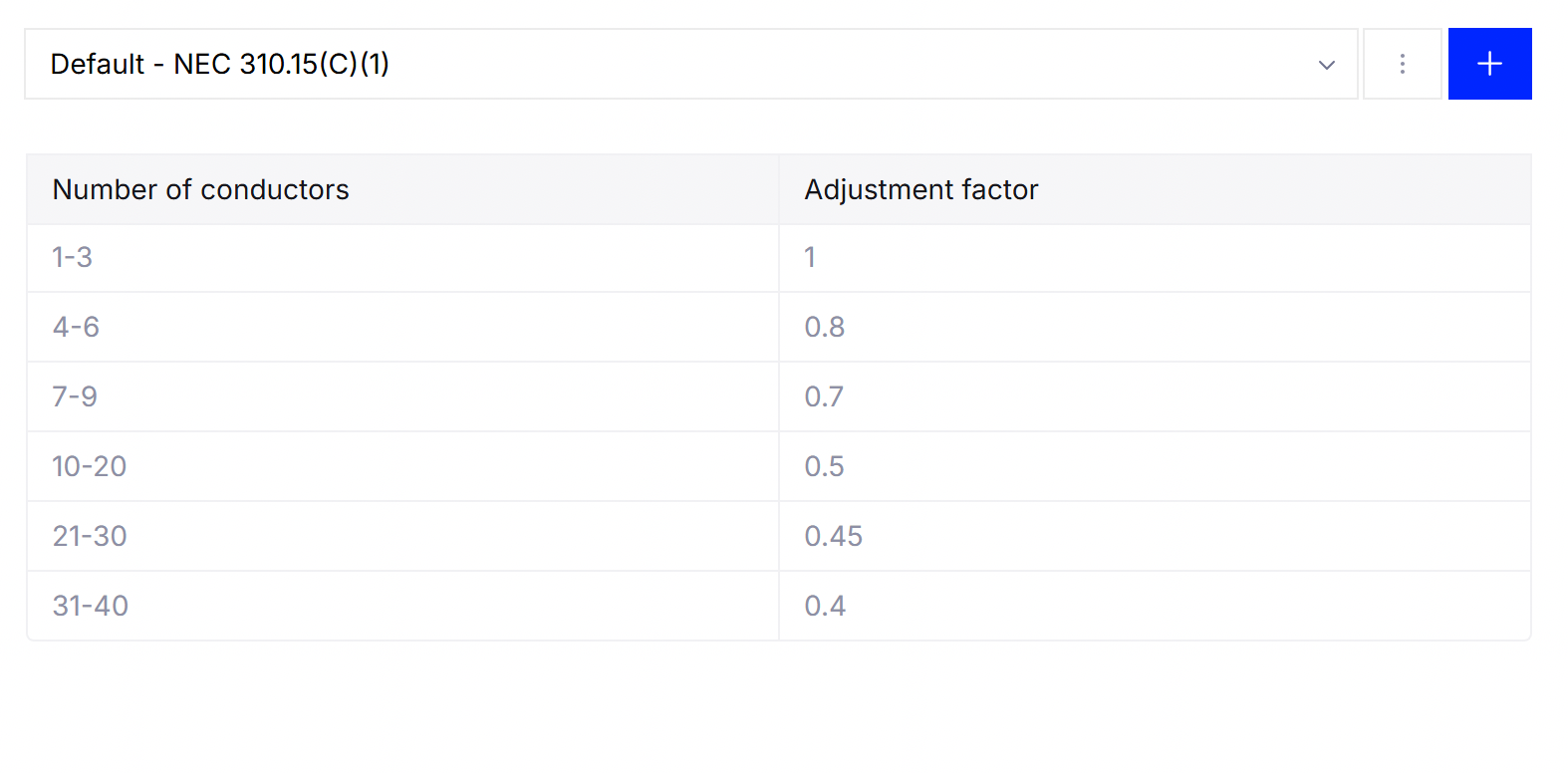
Adjustment factors
Open Settings > Adjustment factors. One row per range of conductors:
| Column | What to enter | Example |
|---|---|---|
| Number of conductors | A number or an ascending range of current-carrying conductors (hot and neutral; the ground never counts) | 1-3, 4-6, 7-9 |
| Adjustment factor | The factor for that range | 1.00, 0.80, 0.70 |
Ranges can't overlap (Range overlaps with another row). Choose the table in a template under Adjustment factors.
Temperature factors
Open Settings > Temperature factors. The table has one row per ambient temperature range and one column per wire temperature rating:
- Ambient Temperature, °C (or °F) — an integer range, for example 0-10 or 21-25.
- Under Wire Temperature Rating, one column per rating, for example 60, 75 and 90.
- In each cell, the factor for that temperature and rating, for example 1.29.
Open the menu of a column to Insert column left, Insert column right, Rename column or Duplicate column; a column name is the rating number, for example 60. Leave a cell empty where the wire type allows no conductor at that temperature — Electric Pack then warns The ambient temperature permits no conductor of the wire type.
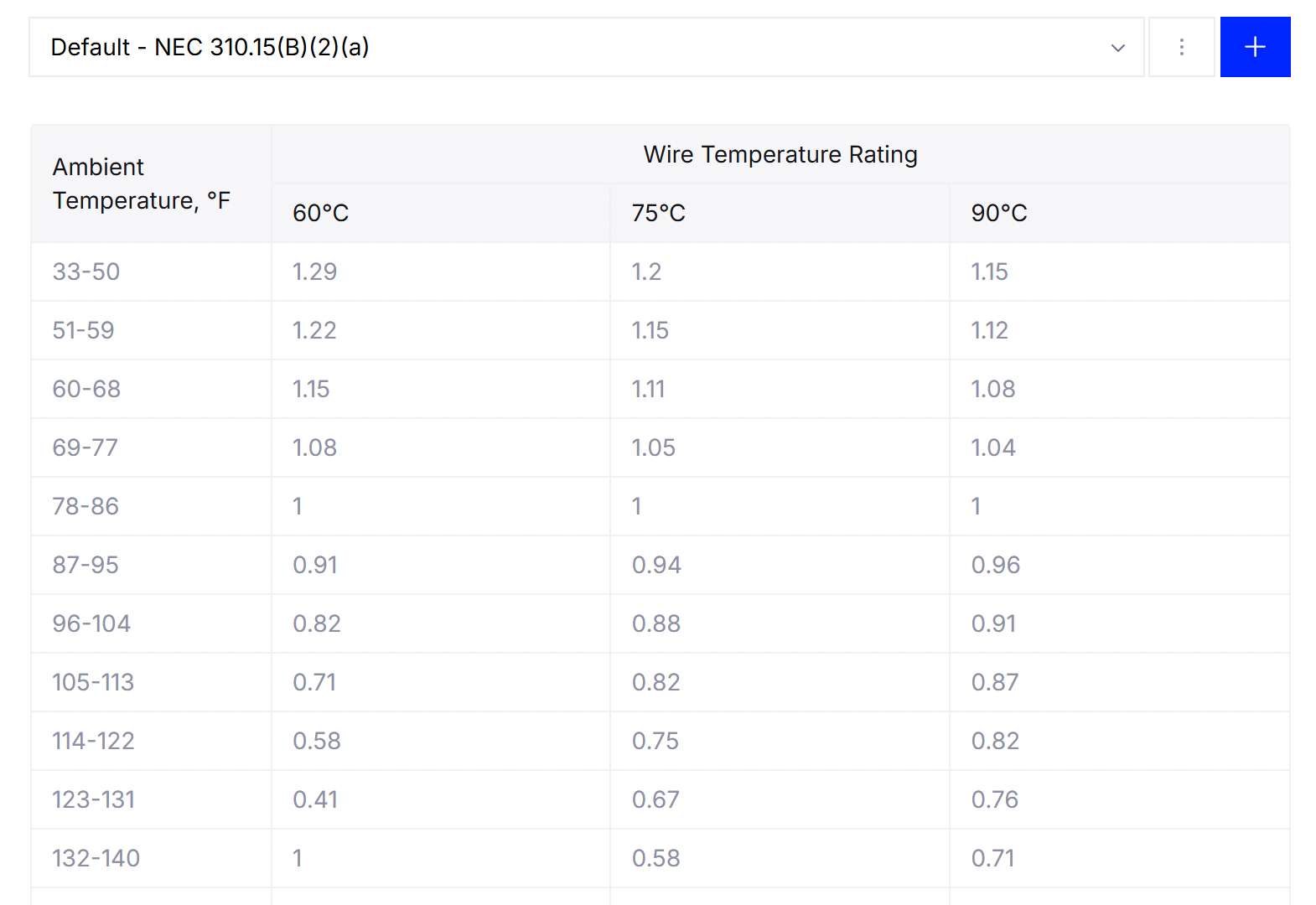
A wire family uses one temperature factors table, chosen when the family is created (see Wires: families and wire types).