Editing circuits in Properties
Open Properties: on the ElectricalPack tab, click Properties (the model must be connected to a hub project). Click again to hide it.
Edit a selection
- Select circuits in the model or in the System Browser. The top shows Elements selected: N.
- Pick or type a value.
- Move the focus out of the field.
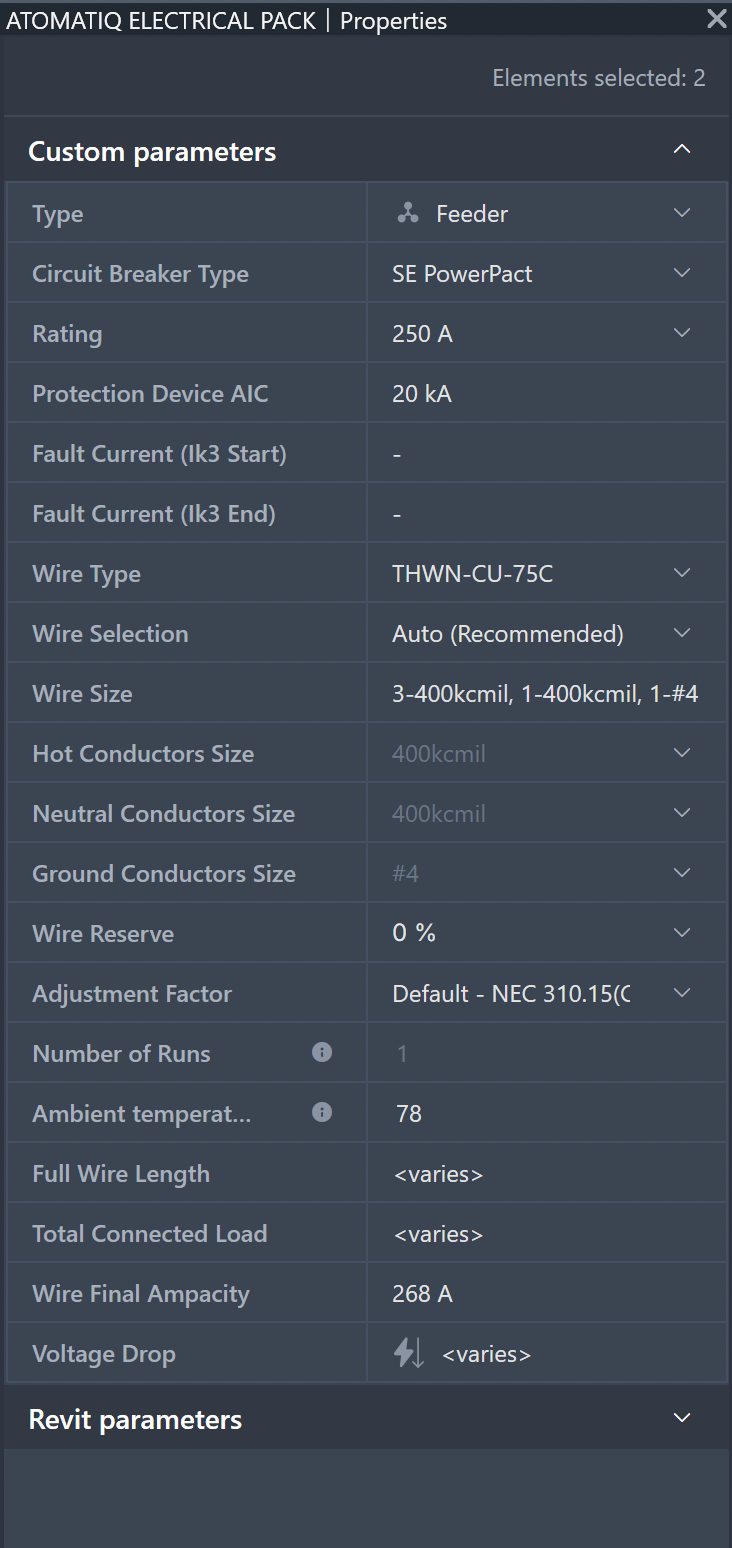
The value is written to every selected circuit in one change. A field whose value differs between circuits shows <varies>. A value Electric Pack or Revit rejects is not stored, and the field shows the stored value again.
| Value | Input or result |
|---|---|
| Type | Switch between Branch Circuit and Feeder |
| Circuit Breaker Type | Pick a breaker table |
| Rating | Pick a rating of that breaker table |
| Protection Device AIC | Result: interrupting capacity of the breaker |
| Fault Current (Ik3 Start) | Result: fault current at the start of the circuit |
| Fault Current (Ik3 End) | Result: fault current at the end of the circuit |
| Wire Type | Pick a wire type |
| Wire Selection | Auto (Recommended) or a custom selection |
| Wire Size | Result: conductors of one set, with the number of parallel sets |
| Hot / Neutral / Ground Conductors Size | Pick sizes for a custom wire selection |
| Wire Reserve | 0, 3, 5 or 10 %, or any whole number from 0 to 99 |
| Adjustment Factor | Pick an adjustment factor table |
| Number of Runs | Number of parallel sets (custom selection) |
| Ambient temperature | Temperature the conductors are derated for |
| Full Wire Length | Result: length the conductors are sized over, including the reserve |
| Total Connected Load | Result: connected load as a percentage of the rating |
| Wire Final Ampacity | Result: ampacity after the factors |
| Voltage Drop | Result: voltage drop of the circuit, % |
| Total Voltage Drop | Result: voltage drop from the source to the end of a branch circuit, % |
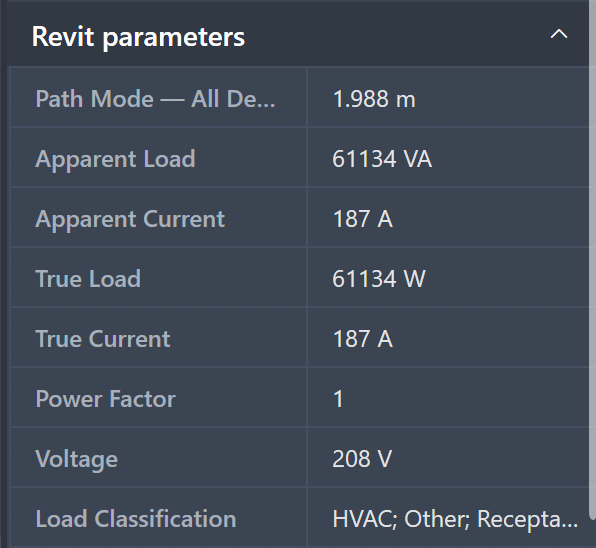
The group Revit parameters shows read-only values Revit states on the circuit: Length (All Devices), Apparent Load, Apparent Current, True Load, True Current, Power Factor, Voltage, Load Classification.
Note: Lowering the rating sets the conductors to the smallest sizes that rating allows, and the panel tells you so.
Auto and custom wire selection
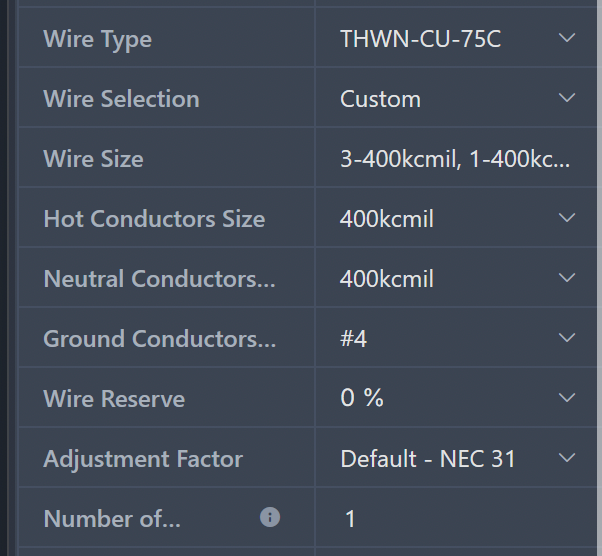
Wire Selection decides who sizes the conductors of a circuit: Electric Pack (Auto, recommended) or you (Custom). In Custom, set Hot Conductors Size, Neutral Conductors Size, Ground Conductors Size and Number of Runs.
| Auto | Custom | |
|---|---|---|
| Hot conductors | The smallest size of the wire type whose ampacity reaches the breaker rating | The Hot Conductors Size you set |
| Parallel sets | Added one at a time, up to 6, until the corrected ampacity exceeds the breaker rating | The Number of Runs you set |
| Voltage drop | The size is raised until the voltage drop is within the limit of the circuit and, for a branch circuit, the total limit | Calculated for your size only; the size is not raised, and a value over the limit shows a warning |
| Neutral | The final hot conductor size | The Neutral Conductors Size you set, while your hot size is kept |
| Ground | From the ground conductor table or same as hot | The Ground Conductors Size you set; without one, from the ground conductor table |
A custom size is never left too small for the breaker. When your hot size in your number of runs has a corrected ampacity that does not exceed the breaker rating, Electric Pack raises it to the smallest size that does, and the neutral follows the new size. Set Wire Selection back to Auto to let Electric Pack size the conductors again; the sizes you set are then ignored.
Breaker rating: Rating has no Auto mode. Electric Pack keeps the rating you pick while it reaches the minimum rating, 125 % of the circuit current (every load counts as continuous). A smaller rating is replaced by the smallest rating of the breaker table that reaches it.
Note: A circuit whose largest size of the wire type in 6 parallel sets still cannot carry the breaker rating shows an insufficient ampacity warning.