Arranging columns
- Drag a column header to move the column, or click Manage columns.
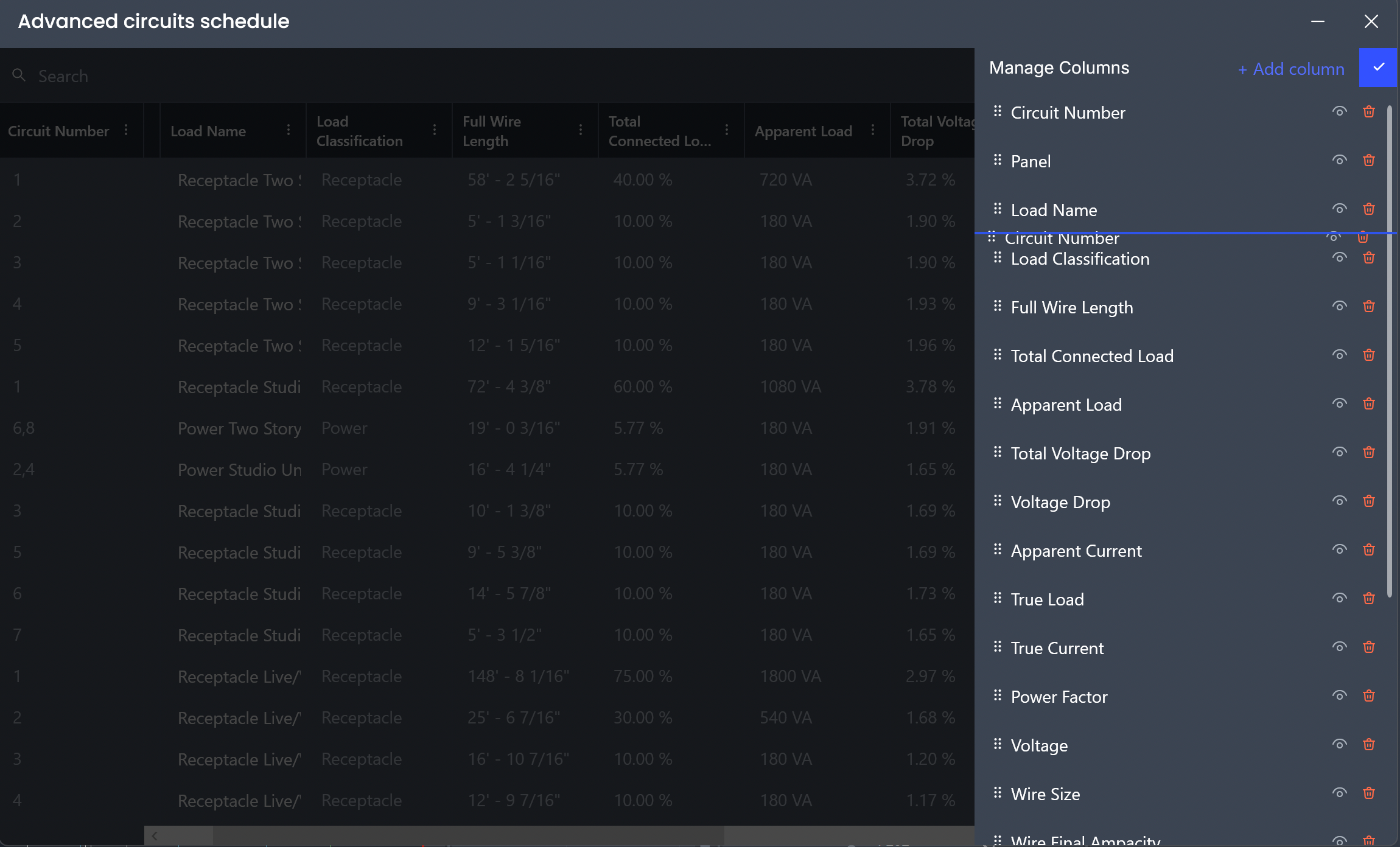
- In Manage Columns, drag rows to reorder, click the eye icon to show or hide a column, and the delete icon to remove it.
- Click + Add column to add Adjustment Factor, Circuit Breaker Type, Number of Runs, Ambient Temperature, Wire Reserve, Protection Device AIC, Fault Current (Ik3 Start), Fault Current (Ik3 End), or any other circuit parameter.
- Click the check mark to apply.
The model stores the column layout, and the schedule opens with it next time.
Note: Parameters whose names start with EP_ don't get columns of their own: Electric Pack shows their values in the columns above.