
Pinly for Revit
Real-time collaboration inside your Revit model
Pinly is a collaboration plugin for Autodesk Revit that lets teams add comments, track feedback, and coordinate designs directly in the model. Mention teammates, resolve issues in real time, and keep every conversation where the work happens — in your model. Just like in Figma, but built for Revit.
Why teams choose Pinly

Keep every discussion in context
No more screenshots or email chains. Every comment stays attached to the exact model element.

Speed up coordination
Review changes, assign issues and resolve them faster without switching between different tools.

Improve team collaboration
Architects, engineers and BIM coordinators always see the latest discussion inside Revit.

Scale with your projects
Pinly is optimized for large Revit models and stores collaboration data outside Revit to keep performance high.

Turn AI insights into action
Let AI find issues in your Revit model and place contextual comments where they need attention.
Key features
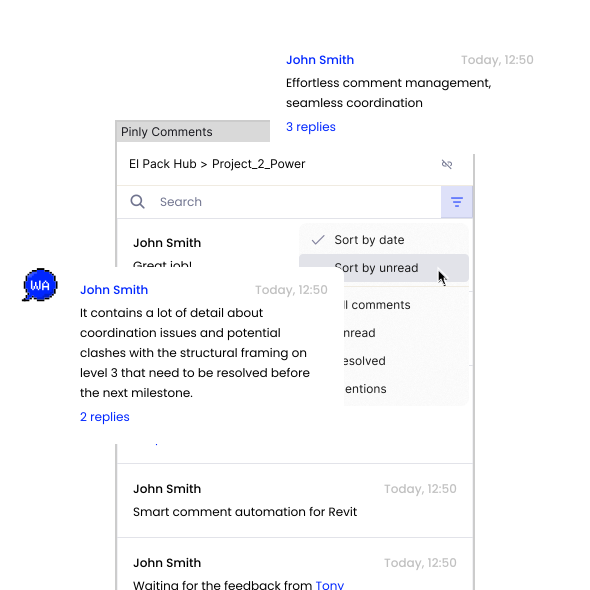
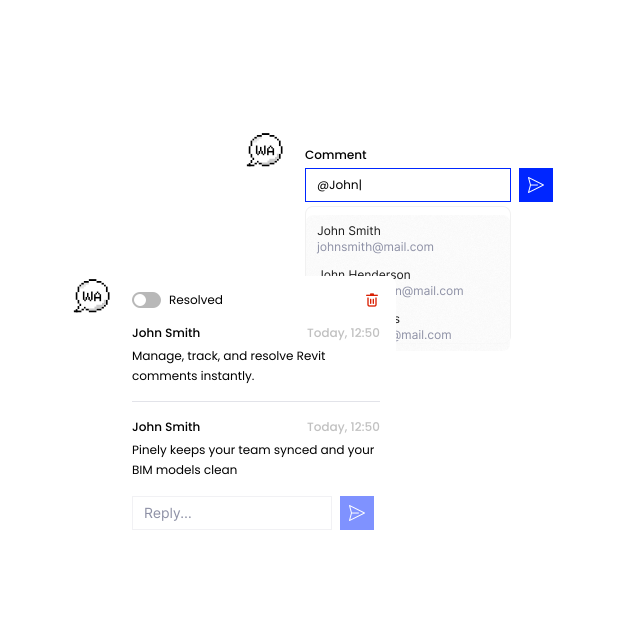
 Comment thread
Comment thread
Keep every discussion organized
- Turn scattered feedback into organized conversations.
- Reply directly to specific comments to create clear discussion threads that preserve the context of every design decision. Track discussion history, mark issues as resolved, and keep important feedback from getting lost.
 Side panel
Side panel
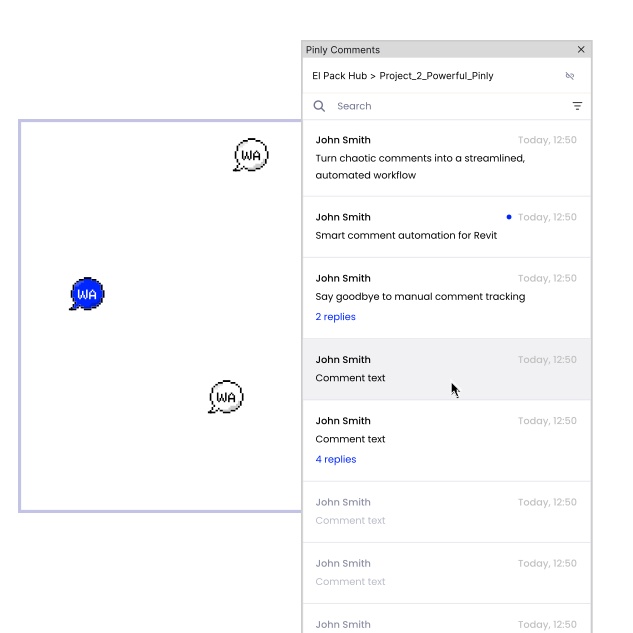
Intuitive side panel interface
What it does:
- Manage your entire feedback workflow without disrupting your workspace.
- The sleek, non-intrusive sidebar gives you instant access to your comments, search filters, and status tracking tools.
- Review feedback and implement changes side-by-side while keeping your active view open.
 Collaboration Hub
Collaboration Hub
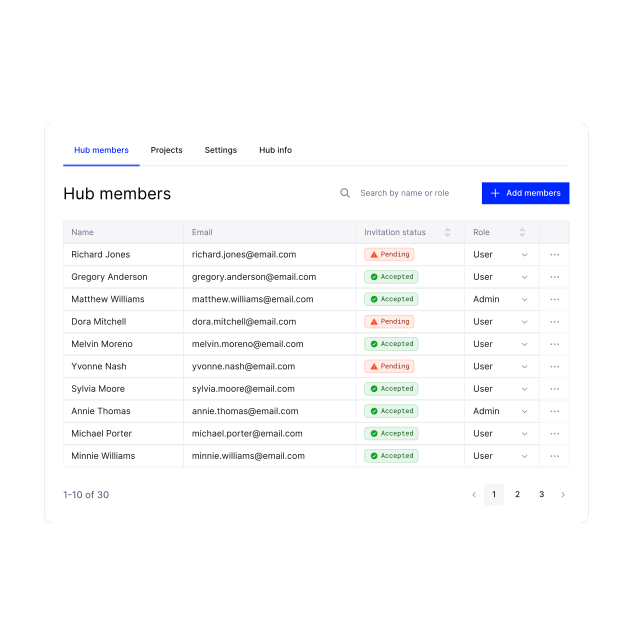
Centralized management for teams
Key features:
- Bring your team, BIM managers, and stakeholders together in one shared workspace.
- Sync comments and notifications across the project to keep everyone updated and reduce communication gaps.
- Track project changes in real time to stay aligned, reduce design errors, and streamline handoffs.
 MCP tokens
MCP tokens
Seamless LLM & AI integration
What it does:
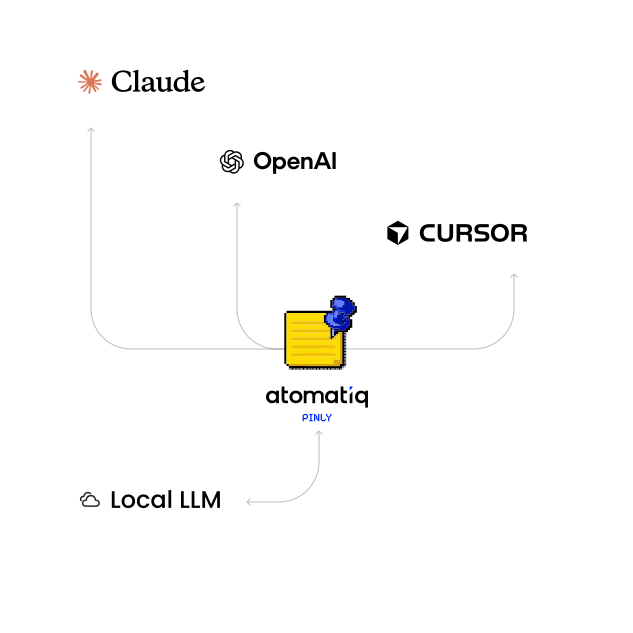
- Generate secure MCP tokens to connect Pinly with external LLMs and AI assistants.
- Turn raw comment threads into actionable AI-driven insights and automated reports to speed up review cycles.
Built for every Revit user

BIM Managers
Keep project coordination organized and track every issue in one place.

BIM Coordinators
Manage design reviews without scattered screenshots, emails, or BCF files.

Architects
Discuss design decisions directly in the model and keep feedback connected to the context.

Engineers
Identify and resolve issues faster with comments placed exactly where changes are needed.

Manufacturers
Collaborate with project teams and customers around BIM content directly in Revit.
Choose your plan
Flexible pricing designed to grow with your business — no hidden fees, cancel anytime
Free
Essential features for individuals and small teams to get started
- Limited access
- Up to 3 active projects
- 1 seat
Pro
Advanced collaboration tools and unlimited full access for growing teams
Enterprise
Custom solutions for companies with advanced needs
- Custom plugin configuration
- Priority support
- Team onboarding
- Volume pricing
FAQ
Does Pinly affect Revit performance?
No. Comments are not stored inside the Revit model, so they don't add extra data that Revit needs to load. Collaboration data is stored separately and loaded in the Pinly side panel when needed.
Does Pinly replace Bluebeam, ACC, or Navisworks?
Not entirely, and that’s not what we’re trying to do. For model comments, though, Pinly gives teams a simpler way to work directly in Revit. Comments stay attached to the model element, so you can leave and follow up on issues without needing a separate PDF markup workflow or a full coordination platform just for commenting.
How does the MCP integration work?
Pinly MCP connects AI assistants like Claude Code with your project comments. Create a token in your Atomatiq account, connect the MCP server to your client, and use natural language to search, update, and manage comment threads. Learn more in our guide.
Does Pinly work with other CAD tools, or only Revit?
Right now Pinly is Revit only. That's where we're putting all our attention.
Can I tell which comments were written by AI?
Yes. Comments created through MCP are marked with a ✨ icon, so everyone on the project can see which threads were created by an AI assistant.
What happens when I reach the Free plan limit?
You can continue using Pinly by upgrading to a paid plan or contact us to find the right option for your team.
Can I invite people from other companies to a project?
Yes. A project usually has an architect, engineer, and contractor working from the same model, and Pinly is built for that. Anyone you invite can comment, regardless of which company they work for.
If I'm invited to a project beyond my own 3, can I still see it on the Free plan?
Yes. Free plan includes active work in up to 3 projects. If someone invites you to another project, you can still open it and view the comments in read-only mode.
What if I need something custom for a large organization, like SSO or a different deployment?
Pinly can be tailored to your organization’s setup, with options such as SSO, custom deployment, priority support, and volume pricing. Have specific requirements? Let’s talk through them and find the right setup for your team.